


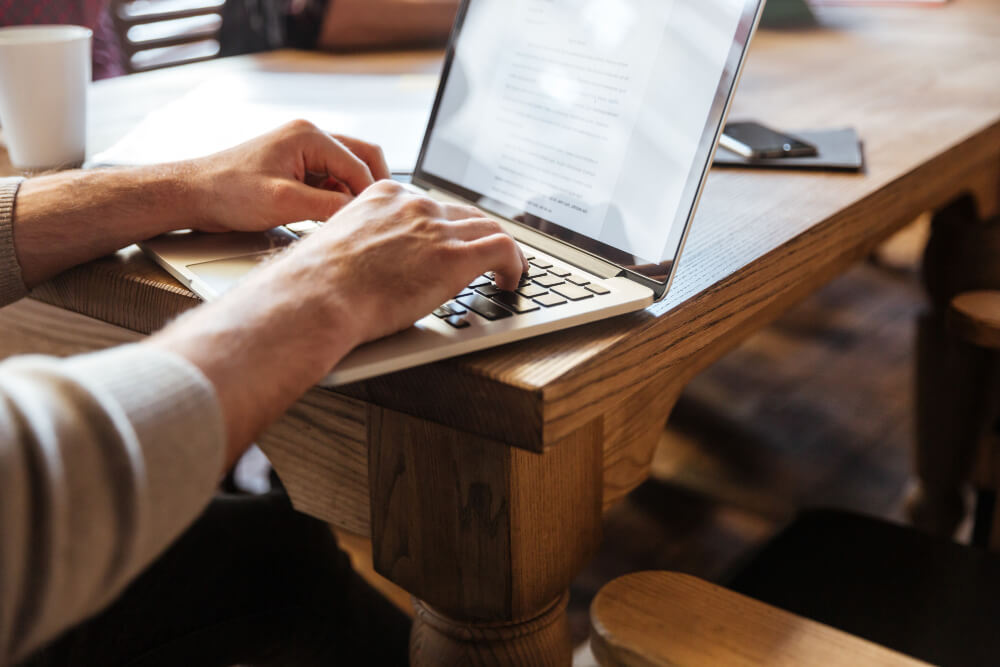
Even with today’s fast-paced digital communication tools, faxing remains an essential part of business operations. Many companies, legal offices, and healthcare providers still depend on faxing to send documents securely and efficiently. Faxing offers a layer of trust and traceability that emails or messaging apps cannot always guarantee.
Switching from traditional fax machines to digital faxing offers countless advantages. Computer-based faxing removes the need for bulky equipment, dedicated phone lines, or constant paper and ink supplies. Users can send important contracts, invoices, or signed forms directly from their desktop without ever printing a single page. This shift not only saves time but also supports eco-friendly business practices while keeping communication fast and secure.
What You Need Before Sending a Fax Online
Before you can send a fax from your computer, a few essentials are required. A stable internet connection, a valid email account, and access to digital versions of the documents you wish to fax are the basics. Most online fax services support file types like PDF, DOC, or image formats, ensuring flexibility for all users.
Equally important is choosing a reliable and secure online fax platform. With a growing number of providers available, selecting one that prioritizes data protection and encryption is vital. Many services now integrate with popular platforms such as Google Drive or Dropbox, allowing users to access and fax their files directly from the cloud. For personal or occasional business use, free faxing services are an excellent starting point, providing essential features without added costs.
Step-by-Step: Sending a Free Fax from Your Computer
Sending a fax from your computer is a simple process once you understand the steps. Start by selecting an online fax service and signing in. Most platforms have user-friendly interfaces that allow you to upload your document directly from your device or connected cloud storage.
Next, enter the recipient’s fax number, ensuring accuracy to prevent transmission errors. You can also add a cover page if needed, which helps identify the sender and provides context for the fax. After verifying the details, click the ‘Send’ option, and the service will securely transmit your document.
Once the fax is sent, you’ll usually receive an on-screen confirmation or an email alert indicating delivery status. This confirmation serves as proof of transmission, which is useful for business documentation. Using a service that provides the best ways to send free fax from a computer is an easy and cost-effective way to maintain professional communication without investing in hardware. It allows users to send and receive faxes digitally while enjoying enhanced privacy and reliability.
Online faxing has quickly become a preferred method for organizations managing remote work. According to Business Insider, digital faxing solutions have experienced a surge in popularity as companies continue to transition toward cloud-based operations. This flexibility enables users to handle official communication seamlessly, whether they are working from home or the office.
Best Platforms for Sending Free Faxes
Several reputable platforms now offer free faxing services with reliable features, suitable for both individual and business use. A simple online form that allows users to send limited faxes daily without incurring setup costs. It’s perfect for those who need to send occasional documents quickly. Eliminates ads on cover pages, maintaining a professional appearance while offering privacy and ease of use. It integrates with cloud services like Google Drive, making it an ideal choice for users who regularly manage digital files.
For businesses seeking advanced capabilities and secure storage. These options cater to a range of needs, from one-time personal use to ongoing business operations. As outlined by TechRepublic, the rise of online faxing platforms underscores how cloud technology streamlines document workflows without compromising security.
While free plans work well for light usage, frequent faxers may benefit from paid versions that offer higher page limits, faster speeds, and extended archiving options. Choosing the right service depends on your volume, budget, and need for compliance features.
Ensuring Security and Privacy While Faxing
Security is one of the most important aspects of online faxing. Reliable fax platforms protect your data through end-to-end encryption, ensuring that your documents cannot be intercepted or altered during transmission. They also store faxes temporarily on secure servers that are regularly updated to prevent unauthorized access.
Users should avoid sending sensitive documents over unsecured or public Wi-Fi networks, as these can expose transmitted data to potential threats. Instead, always use trusted connections and verify that the faxing service provides SSL certification.
Privacy regulations such as HIPAA and GDPR require secure document handling, making online faxing a compliant option for industries managing confidential data. For additional peace of mind, some platforms offer password protection and multi-factor authentication, ensuring only authorized users can access your files. According to Forbes, businesses that invest in digital security tools like encrypted faxing significantly reduce risks associated with data breaches.
Troubleshooting Common Faxing Issues
Even with modern tools, technical issues can occasionally occur. Failed transmissions are often the result of incorrect fax numbers or unsupported file types. Before resending, double-check the recipient’s details and confirm that your document format meets the service’s requirements.
If your file size is too large, consider compressing it or dividing it into smaller sections to reduce the file size. Some services may have limits on attachments or page counts for free users. When facing persistent issues, clearing the browser cache or switching to another browser can help resolve compatibility problems.
Most online fax platforms provide confirmation receipts, which you should always review to ensure successful delivery. If a fax fails, the confirmation notice will typically specify the cause, allowing you to address the issue promptly.
When to Upgrade to a Paid Faxing Plan
Free faxing solutions are ideal for light users, but growing businesses often require more robust features. Upgrading to a paid plan enables users to send higher volumes, archive documents for longer periods, and access dedicated support. Paid plans also often include advanced encryption, automated workflows, and integration with customer relationship management (CRM) systems.
For industries such as healthcare, finance, or law, compliance with regulations like HIPAA or GDPR may necessitate advanced features found in premium plans. Paid services also remove restrictions like daily page limits, ensuring smooth communication during high-demand periods.
When evaluating an upgrade, consider your organization’s needs for scalability, compliance, and long-term storage. A professional online fax solution can streamline operations while maintaining consistent communication standards across teams.
Conclusion
Faxing has evolved from bulky machines to seamless online processes that fit perfectly into the digital workplace. Sending faxes from your computer eliminates unnecessary equipment and costs while providing fast, reliable, and secure communication.
Whether you’re a small business owner, freelancer, or enterprise professional, online faxing offers the convenience and security modern workflows require. With tools like these, managing important documents becomes easier, faster, and entirely paperless, making computer-based faxing a smart solution for 2025 and beyond.
FAQs
Can I send a fax directly from my laptop without extra software?
Yes. Many online fax services allow you to send documents directly from a web browser without installing any additional software.
Are free fax services secure enough for business use?
Most reputable free fax platforms use encryption and secure servers to protect documents. However, businesses handling sensitive data may benefit from paid plans offering additional safeguards.
What file types are supported for online faxing?
Commonly supported file types include PDF, DOC, JPG, and PNG. Most services also accept scanned documents and cloud-stored files for convenience.
